


 7.6/10
18+ T&C apply | Play Responsibly
Get up to R10,000 + R50 Bonus
- Quick and safe sign-in
- No extra data
- Mobile login
Features Show all
- Boosted Odds
- Casino
- E-Sports
- Live Betting
- Live Casino
- Lottery
- Virtual Sports
- Bet Builder
- Cashout









Content Navigation
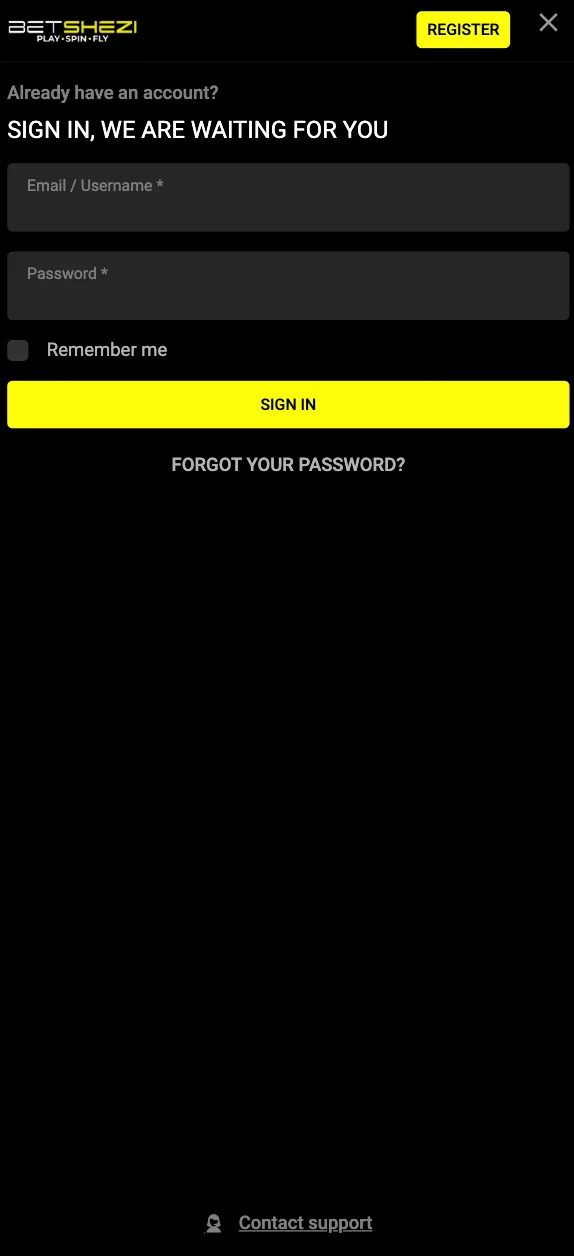
After clicking the button above, you will be redirected to the Betshezi site. To complete your Betshezi login South Africa, click on SIGN IN at the top right side of the page, then enter your email or username and password. If you can’t remember your password, click on FORGOT YOUR PASSWORD below the login form fields, and you will receive a reset link or code via SMS or email within a few minutes..
Gallery
How to Log In to Betshezi
The Betshezi sign in takes less than a minute.
- Every button on this page will take you straight to the Betshezi website.
- Click on SIGN IN, the underlined link beside the yellow REGISTER button.
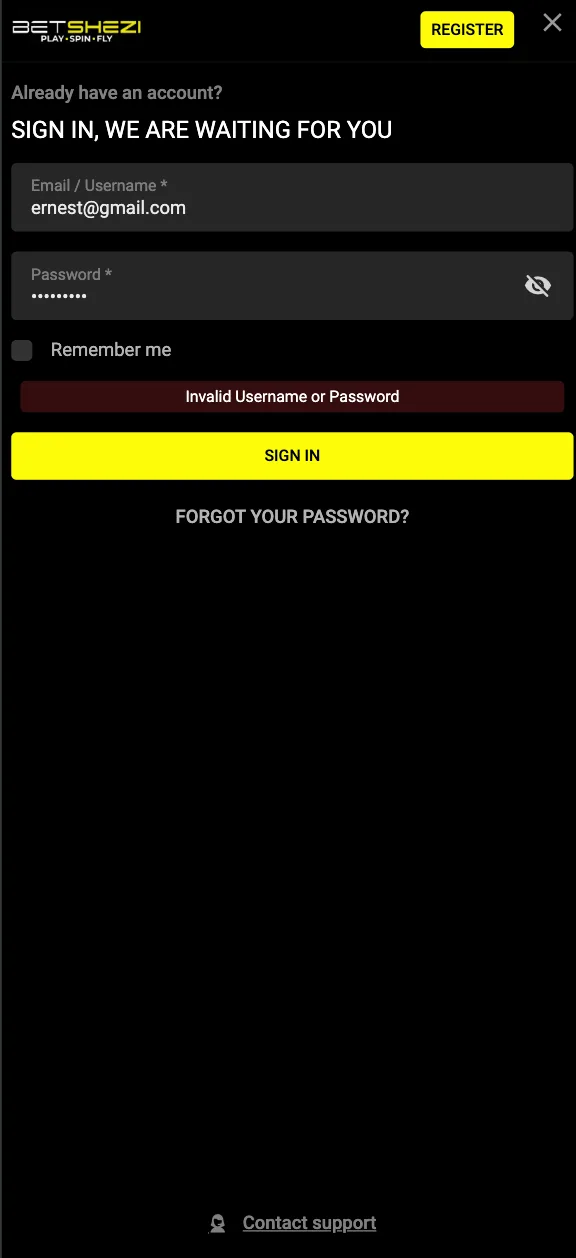
- In the SIGN IN, WE ARE WAITING FOR YOU pop-up, fill in your Email / Username and Password in the form provided.
- Press SIGN IN in order to access your account.
Ernest Masuka, Betting Expert & Writer for Silentbet

There’s no option to log in with Google, Facebook or Apple, which I didn’t like. Your Betshezi email or username and password are the only sign-in option, on desktop and on mobile.
Betshezi Mobile Login on Android and iPhone
If you are accessing Betshezi from a mobile device (including Android smartphones and iPhones), Betshezi will automatically load its mobile site, and you can sign in to your Betshezi account within seconds.
Android (Chrome or Samsung Internet)
- Open your browser and go to the Betshezi site.
- Tap SIGN IN in the header, next to REGISTER.
- Enter your Email / Username and Password, then tap the SIGN IN button.
iPhone (Safari)
- Open Safari and go to Betshezi.
- Tap SIGN IN in the header.
- Enter your email/username and password in the fields provided. Safari’s password manager can remember these for future logins.
To get one-tap access on your iPhone, open Betshezi in Safari and tap the Share icon. Choose ‘Add to Home Screen’ and you’ll have a shortcut that opens the Betshezi site instantly.
Can You Log In Using the Betshezi App?
An installable app is only available on Android, and only via the Betshezi site at betshezi.com. Note that Betshezi does not have a listing on the Google Play Store or Apple App Store. Instead, the site footer links to the Betshezi Android APK file, which is hosted on a third-party domain (not betshezi.com).
Once the file has been downloaded to your Android device, you will be prompted to allow installation of apps from unknown sources. This happens because the app doesn’t come from the Google Play Store, so make sure you only download it from the link in the official betshezi.com footer. You log in with the same details as on the website. iPhone users can access Betshezi via their iPhone browser, as there is no Betshezi app for iPhone.
Forgot Your Betshezi Password?
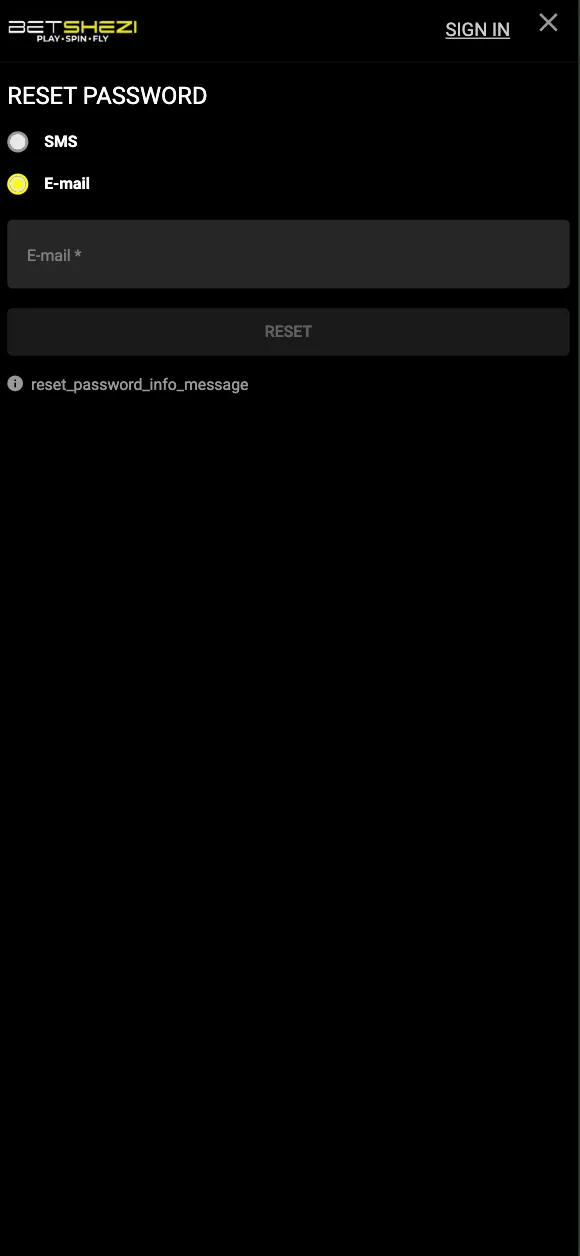
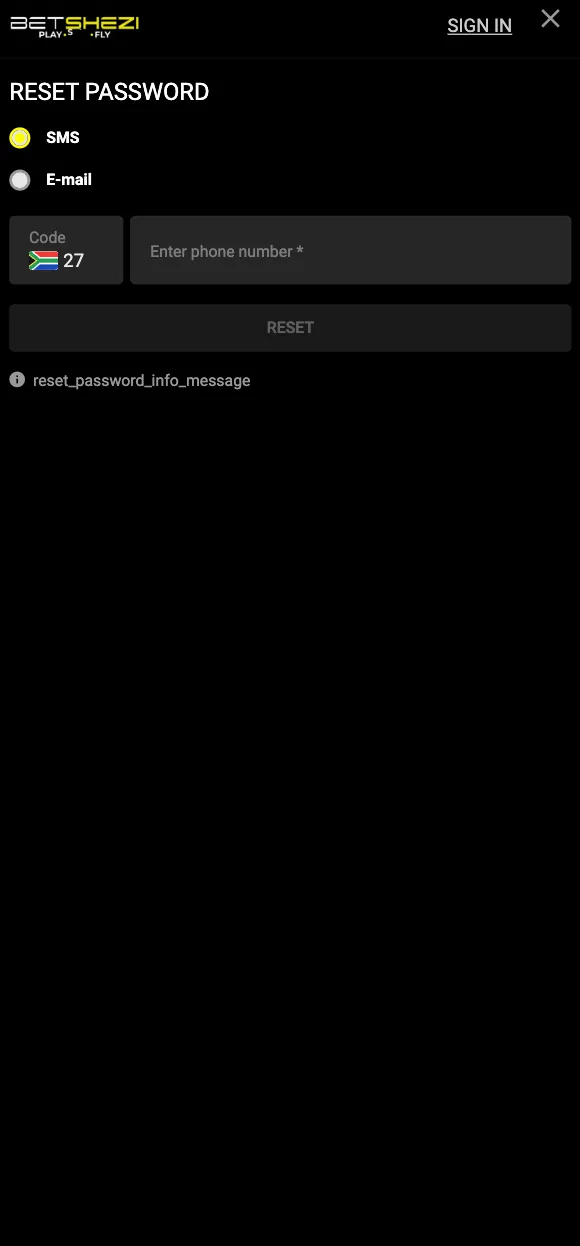
The Betshezi forgot password process is launched from the same sign-in pop-up, and you can reset your password by SMS or email.
- Click SIGN IN and then click FORGOT YOUR PASSWORD? just below the yellow button.
- On the RESET PASSWORD screen, choose SMS or E-mail.
- For SMS, enter the cell number that you have listed on your Betshezi account. For email, enter the email address that you registered with.
- Click RESET, then follow the link or enter the code you receive to set a new password.
Ernest Masuka, Betting Expert & Writer for Silentbet
It may take up to 10 minutes for the message or email to arrive. Check your spam folder, and make sure that your phone is switched on and that you haven’t accidentally blocked messages from short codes.
Also note that a password reset will not work if the email address on file is wrong, so you should check whether you entered your email address correctly when you registered. If you didn’t, live chat can help you update it once they’ve verified your identity.
Betshezi Login Problems and Solutions
Most Betshezi login problems occur due to four main reasons:
Incorrect password
Type in your password again carefully, paying attention to the Caps Lock key. If that does not work, use the FORGOT YOUR PASSWORD? link and reset your password via SMS or email.
Account locked
Contact live chat or email support@betshezi.com. Be ready to provide your name, ID number and the cell number on your account.
OTP or reset code not received
Check your signal, check whether messages from short codes are blocked and wait 10 minutes. If you still have no luck, contact support and have them verify the number on file for your account.
FICA verification pending
You will still be able to log in and deposit, but you won’t be able to withdraw or place the R50 sign-up bet until verification has been completed.
Ernest Masuka, Betting Expert & Writer for Silentbet
If you have self-excluded or taken a time-out, you won’t be able to log in until the exclusion period ends. After it has passed, your account needs 24 hours of activity before any bonuses can be credited.
How to Register a Betshezi Account
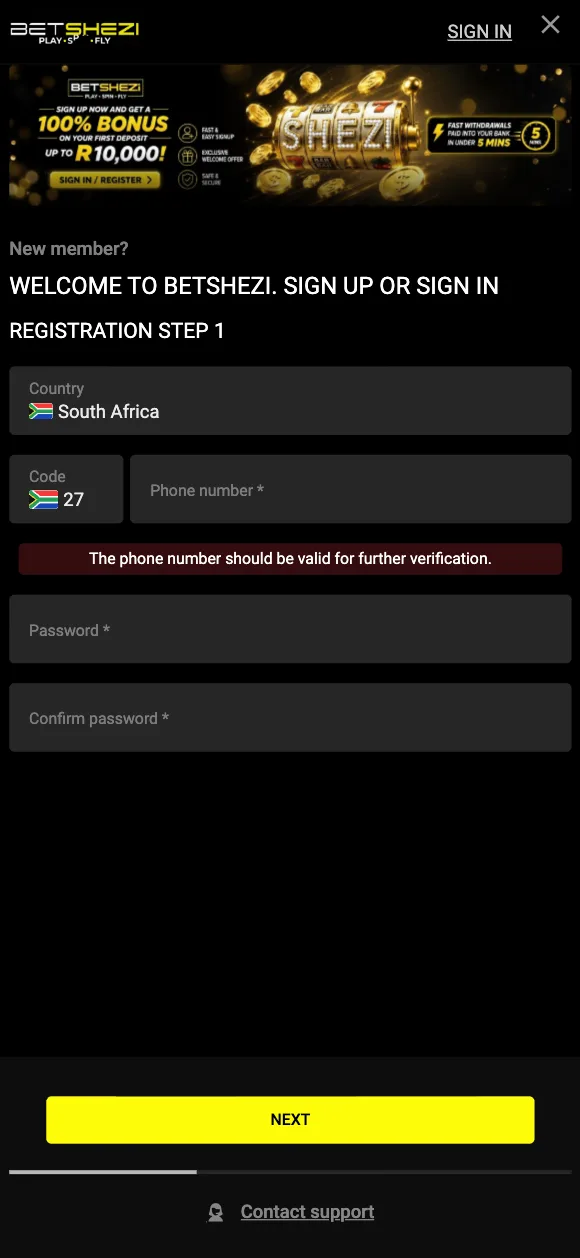
To open a new Betshezi account, click on the REGISTER button at the top right of the page. Make sure the country field is set to South Africa, then enter your cell number, password and password confirmation in step 1 of the registration process.
In the next step, complete your personal details and verify your number. After that, you can upload your FICA documents, which unlocks withdrawals and the R50 sign-up bonus bet. Find the terms of this promo in our Betshezi bonus review.
How to Access Your Betshezi Account Safely
A genuine Betshezi account login only happens on the official site, so adopting a few good habits will help you log in safely every time.
- Check the domain of the page you are on. The official site is betshezi.com, and betshezi.co.za automatically redirects to it. Any other domain that looks almost the same is most likely a fake site.
- Never click on a link to the site from a message such as an SMS, email or WhatsApp. Type the official address into your browser instead and bookmark it for easy reference.
- Use a strong password that you don’t use anywhere else, and never share it with anyone. Change it immediately if you suspect someone knows it.
- Never share an OTP. Betshezi staff will never ask for your OTP code to verify your account or carry out a transaction, so never give it to anyone who claims to be from Betshezi.
- Make sure to log out on shared computers. As stated in Betshezi’s FAQ, closing the tab without logging out can leave your account open.
Contact Betshezi Customer Support
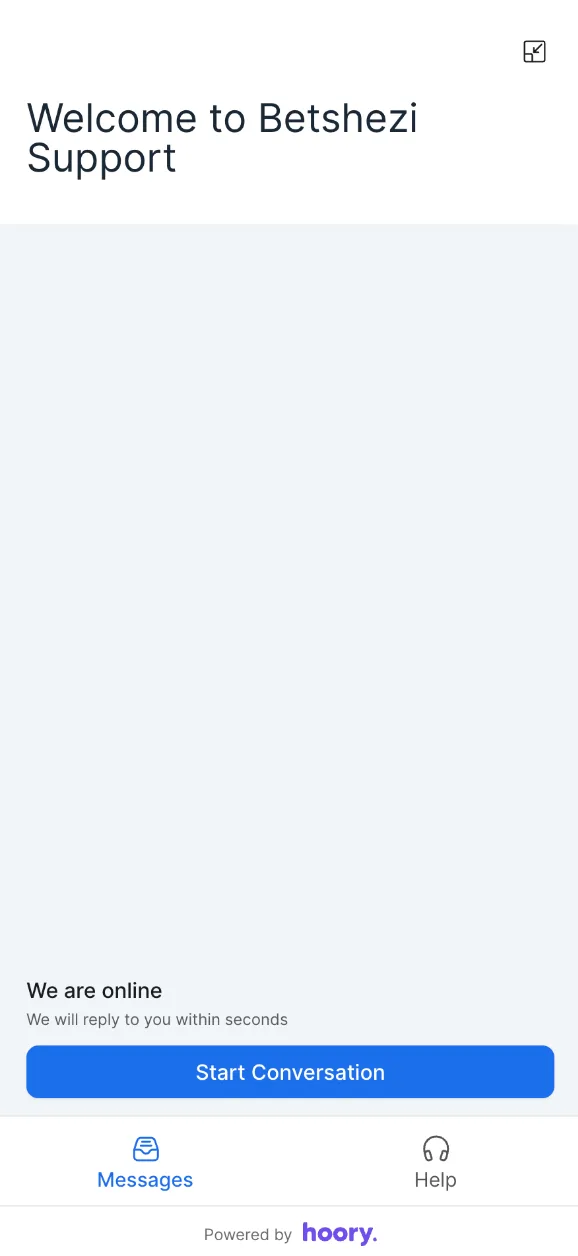
Betshezi offers 24/7 live chat support for all your queries, as well as email support at support@betshezi.com. There is no phone number for support. In our test, a chat agent joined within 42 seconds, while our email was answered within 2 hours and 10 minutes.
When reporting a problem, include your username, the cell number linked to your account and a brief summary of the problem. For payment-related issues, include the date and amount involved. Never share your password, full debit card number or any OTP when reporting an issue.
Frequently Asked Questions
Why can’t I log in to Betshezi?
Generally speaking, you won’t be able to log in if you are using the wrong password, or if your account is locked or self-excluded. A browser issue may also occur from time to time. Start by resetting your password, and if that doesn’t work, contact live chat.
Do I need FICA to log in?
No, pending FICA does not restrict access to your account. It only restricts withdrawals, your sign-up bonus and similar account transactions.
Where is Betshezi My Account?
Once you’re logged in, you can find this information on the My Profile page, under My Data. In this section you will find your personal information as well as your account ID number.
Is there a Betshezi login for iPhone?
Yes, you can log in using Safari on the mobile version of the Betshezi website. There is no iPhone app for Betshezi.
How do I log out of Betshezi?
Open the menu for your account and choose to log out from there. This is especially important when using a shared computer.

No reviews added yet. Be the first!